Subscribe to our newsletter
Keep up #withiiyama
You have successfully subscribed to our newsletter.
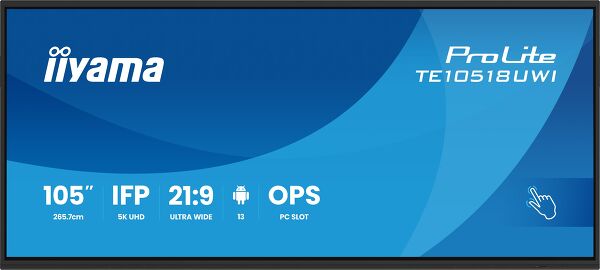
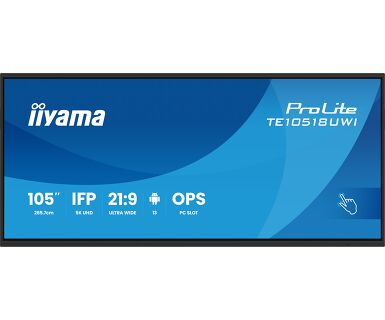
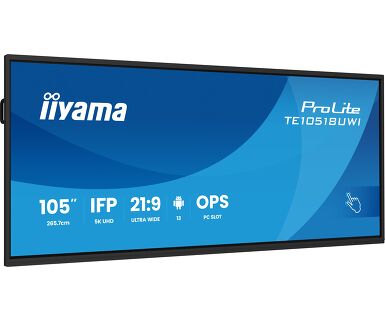
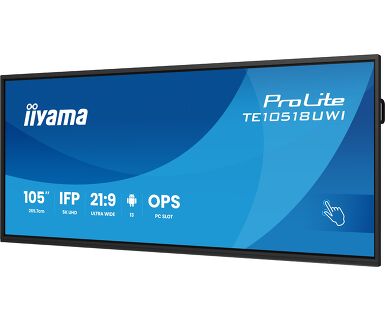
Interaktivni Ultra HD ekran od 105" sa panoramskim prikazom 21:9.
TE10518UWI-B1AG je revolucionaran interaktivni ekran osetljiv na dodir od 105" u Ultra HD rezoluciji 5K, koji donosi novi nivo saradnje i angažovanja u vašem radnom prostoru. Ovaj interaktivni ekran se ističe naprednom tehnologijom i impresivnim karakteristikama i funkcionalnostima, a namenjen je da transformiše način na koji radite, komunicirate i delite ideje. Bilo da se radi o sala za sastanke, učionicama ili prostorima za saradnju, ovaj 105" ekran sa ultra širokim panoramskim prikazom u formatu 21:9 je krajnji alat za podsticanje kreativnosti, produktivnosti i besprekorne komunikacije.
Podignite svoju saradnju na viši nivo uz omiljenu integracijom Microsoft Teams Front Row-a. Ova funkcija vam omogućava da neprimetno organizujete ili se pridružite virtuelnim sastancima i video konferencijama koristeći interaktivni ekran osetljiv na dodir kao centralno komunikaciono čvorište.
Sa velikim odnosom širine i visine, ovaj interaktivni ekran osetljiv na dodir pruža ekspanzivni panel za smeštaj više prozora sadržaja jedan pored drugog, poboljšavajući mogućnosti obavljanja više zadataka. 21:9 Ultra Široki format je takođe savršena optimizacija za Microsoft Teams Front Rov pružajući izuzetno iskustvo i pravičnost u sobi za sastanke za sve učesnike.
Doživite zapanjujuće vizuelne slike sa 5K UHD rezolucijom, nudeći oštre i jasne slike za zaista impresivno iskustvo gledanja.
Najsavremenija tehnologija PureTouch-IR+ obezbeđuje tačne i precizne reakcije na dodir, omogućavajući interakciju i beleške bez napora.
Ojačajte svoje prezentacije uz iiWare 11, koji sadrži Note, pretraživač, Cloud Drive preko intuitivnog softvera prilagođenog korisniku koji vam omogućava da bez napora upravljate različitim aplikacijama, prilagođavate ih i pristupate sa lakoćom.
Pruža najnoviji video, audio i Touch signal, sve preko jednog porta i čak puni vaš uređaj snagom od 100 V.
Ugrađeni zvučnici i subvooferi nude zvuk visokog kvaliteta, obezbeđujući kristalno jasan zvuk tokom prezentacija, video konferencija ili reprodukcije multimedije.
Integrisani mikrofon sa 8 polja pruža izuzetnu jasnoću zvuka, osiguravajući da se vaš glas čuje glasno i jasno tokom virtuelnih sastanaka i konferencija.


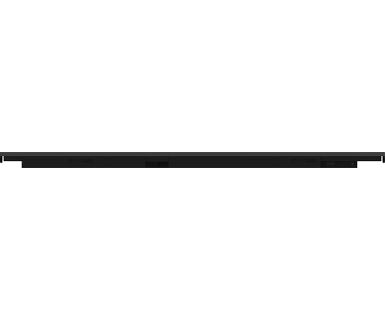
| Dizajn | Tanki okvir |
| Dijagonala | 104.6", 265.7cm |
| Panel | VA |
| Dodirno staklo | AG presvučeno staklo, zero bonding |
| Panel | VA |
| Osnovna rezolucija | 5120 x 2160 (14.75 megapixel, 5K UHD) |
| Format ekrana | 21:9 |
| Osvetljenje | 450 cd/m² |
| Propusnost svetla | 92% |
| Statički kontrast | 4000:1 |
| Dinamički kontrast | 5000:1 |
| Vreme odziva (GTG) | 6.5ms |
| Zona gledanja | horizontalno/vertikalno: 178°/178°, desno/levo: 89°/89°, gore/dole: 89°/89° |
| Podržane boje | 1.07B 10bit (NTSC 90%) |
| Horizontalna sinhronizacija | 30 - 135KHz |
| Vidljiva površina Š x V | 2450 x 1033.6mm, 96.5 x 40.7" |
| Razmak piksela | 0.479mm |
| Boja okvra | crna, mat |
| Touch tehnologija | PureTouch-IR⁺ |
| Tačke dodira | 40, 32pt writing (HID, samo uz podržani OS) |
| Preciznost dodira | +- 1mm |
| Način dodira | olovka, prst, rukavica |
| Interfejs dodira | USB |
| Podržani operativni sistemi | Svi iiyama monitori su Plug & Play kompatibilni sa Windows Linux operativnim sistemima. Detalje o podržanom OS-u za modele osetljive na dodir potražite u odjeljku za preuzimanje u uputstvima za instalaciju drajvera. |
| Odbijanje dlana | da |
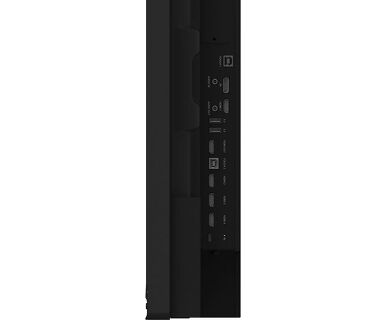
| Ulaz digitalnog signala |
HDMI x4 (1x 2.1, max. 5120x2160 @60Hz; 3x 2.0, max. 3840x2160 @60Hz, YUV444) DisplayPort x1 (1.4, max. 5120x2160 @60Hz) USB-C x2 (3.2 Gen 1, 3840x2160 @60Hz, DP Alt mode 1.2, Touch, front: 15W PD, back: 100W PD) |
| Audio ulaz | Mini konektor x1 |
| Kontrolni ulaz | RS-232c x1 |
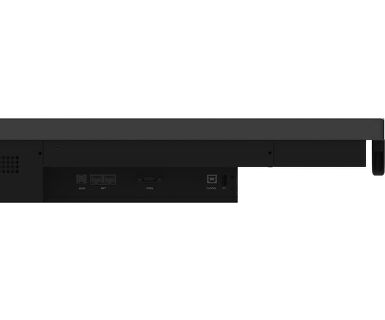
| Digitalni izlaz signala |
HDMI x1 (3840x2160 @60Hz, YUV/RGB444) USB-C x1 (3.2 Gen 1, 3840x2160 @60Hz (DP 1.2 Alt mode, Touch, 5W PD, MSD (Multi-Screen Display)) |
| Audio izlaz |
S/PDIF (Optički) x1 Mini konektor x1 Zvučnici 2 x 16W (Front + 16W Subwoofer) |
| HDCP | HDMI, DP & USB-C: 2.3 |
| USB portovi | x8 (reprodukcija medija / periferna oprema / čuvanje - front: 2x 3.2 (Gen 1, 5Gbit), 1x USB-C 3.2 (Gen 1, 15W PD), back side: 2x 3.2 (Gen 1, 5Gbit), 1x USB-C 3.2 (Gen 1, 100W PD), top side: 2x 3.2 (Gen 1, 5Gbit)) |
| RJ45 (LAN) | x2 (Automatsko prebacivanje na PC i Android, 1000 MB) |
| Mikrofon | 8-Array (8m voice pick-up, Front facing) |
| Integrisani softver | iiWare 11 (Android 13 OS)koji sadrži iiyama DMS, iiyama OS, iiyama Class, Note, web pregledač, menadžer datoteka, cloude diskove, WPS office, iiyama Share i EShare za bežičnu vezu sa Windovs / iOS / Android uređajima |
| WiFi | da (WiFi 6 Module OWM002 - Dual WiFi Bandwidth: 2.4GHz/5GHz, WiFi Standard: IIEEE 802.11 a/b/g/n/ac/ax, Bluetooth Support: 2.1+EDR/ 3.0/ 4.x/ 5.0) |
| Hardver | CPU: A311D2, A76*4+A55*4(2.4GHz), GPU: Mali G610, RAM: 8GB, ROM: 64GB |
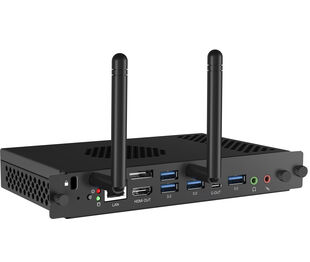
| Dodatno | WiFi 6 Modul (OWM002), Slot kao opcija za OPS Slot PC, 4x touch pen |
| Kiosk mod | da |
| Maksimalno neprekidno radno vreme | 16/7 |
| Protiv zadržavanja slike | da |
| Reprodukcija medija | da |
| Debljina stakla | 3mm |
| Tvrdoća stakla | 7H |
| Kućište (okvir) | metal |
| Zaključavanje OSD tastera | da |
| OSD jezici | EN, DE, FR, ES, IT, RU, CZ, NL, PL, CAT, SV, FI, DA, NB |
| Kontrolni tasteri | Power, Power Indicator, Remote Sensor, Ambient Light Sensor, USB-C Connector (3.2), USB Connector (3.2), Microphone Indicator |
| Korisničke kontrole | common settings (input, volume, backlight), audio settings (volume, bass, treble, balance, sound mode, mute), screen settings (pixel shift, eye care, auto light, ECO, ECR, auto colour temp.), display settings (brightness, contrast, hue, sharpness, display mode, colour temp.), settings (wireless & networks, personal, input & output, application, system) |
| Redukcija plavog svetla | da |
| Plug&Play | DDC2B |
| Garancija | 5 godina (za detalje i zemlje koje ispunjavaju uslove potražite odeljak Garancija na našoj web stranici) |
| Orijentacija | pejzaž |
| Dizajniran bez ventilatora | da |
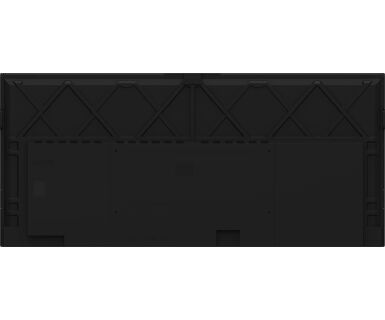
| VESA montiranje | 1000 x 400mm |
| Opseg radne temperature | 0°C - 40°C |
| Temperatura skladištenja | - 20°C - 60°C |
| MTBF - Prosecno vreme izmedju kvarova | 50.000 sati (izuzimajući pozadinsko osvetljenje) |
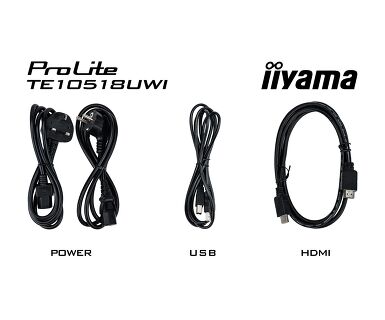
| Kablovi | Strujni kabl, USB, HDMI |
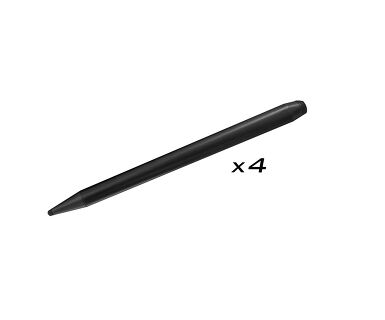
| Olovka za dodir | x4 (Saveti za dvostruke funkcije, Antibakterijski) |
| Upustva | kratko uputstvo, bezbednosni vodič |
| Daljinski upravljač | da (baterije uključene) |
| Napajanje | interna |
| Potrošnja energije | % 1W tipično, 0.5W stand by, 0.3W iskljucen |
| Propisi | CB, CE, TÜV-Bauart, EAC, RoHS podrška, ErP, WEEE, REACH (RoHS) |
| REACH SVHC | iznad 0.1%: Olova |
| Dimenzije proizvoda Š x V x D | 2507.2 x 1130.1 x 103mm |
| Dimenzije kutije Š x V x D | 2668 x 1305 x 280mm |
| Težina (bez kutije) | 91.4kg |
| Težina (sa kutijom) | 119.5kg |
| EAN kod | 4948570122011 |
If you are unable to set the native resolution with the maximum refresh rate on your monitor, try the following troubleshooting steps:
1. Ensure you are using a cable that supports both the native resolution and the desired refresh rate.
2. Visit the product page on our website and check technical specification tab - Interfaces / Connectors / Controls section to see what resolution and refresh rate are supported under the signal input you have seleced (e.g. HDMI signal input does not always support the maxium refresh rate, please check the DisplayPort connection instead).
3. Check the settings and specifications of your PC / graphics card to see if they support the desired resolution or refresh rate.
No, you cannot install apps on your iiyama monitor through the official Google Play Store. However, you do have the option to sideload applications onto your display.
Please visit the iiyama signup webpage and enter the model name or serial number of your iiyama screen. You will be directed to all available software applications for your product, along with instructions on how to activate them.
All iiyama LFDs and IFP displays can be used in portrait mode, except for products with item names starting with TE or LE, which can only operate in landscape mode. Always follow the installation instructions provided with the monitor and the guidelines in the User Manual.
If you wish to change the settings on your monitor remotely, please refer to the RS232/LAN protocol document available in the DOWNLOAD section on the product page.
The commands can be sent to the screen with a terminal app, for example Hercules SETUP utility. For more information, please refer to the RS232/LAN protocol document available in the DOWNLOAD section on the product page.
If your touch functionality is not working, please check the following:
1. Ensure your PC is connected to the monitor with the supplied USB cable.
2. Verify in the user manual that your operating system is supported by the screen.
When cleaning, please follow these guidelines to avoid damaging your Touch monitor:
1. Avoid using paper towels, abrasive cloths, or any harsh cleaning agents, as they can scratch the screen or damage the touch sensors.
2. Do not spray the cleaning solution directly onto the screen to prevent liquid from seeping into the monitor.
3. Avoid excessive cleaning, as it can wear out the screen over time.
4. For more details, please check our dedicated Cleaning page.
If your monitor is displaying a "No Signal" message, please check the following:
1. Ensure the cables are properly connected at both ends.
2. Select the correct signal input (HDMI/DP) or choose AUTO.
For guidance on selecting an input while the screen is in standby mode, please consult the user manual. On desktop monitors, common methods include pressing the INPUT, AUTO, or "2" buttons, or moving the joystick backward.
Yes, your iiyama monitor will work with your Apple Mac system. However, it depends on the signal input how to connect. Since Apple Mac systems from 2020 onwards only have Thunderbolt 3 (USB-C) ports for video output, you have two options:
1. Connect directly to the USB-C signal input on your iiyama monitor.
2. In case your monitor only has HDMI or Displayport, you will need a Mac-compatible dongle that supports one of the video inputs available. Apple offers a USB-C Digital AV Multiport Adapter (MW5M3AM) that can be used for this purpose.
3. If your iiyama monitor has touchscreen capabilities, please refer to the user manual to verify touch functionality compatibility with your Mac system.
To resolve the issue of a blinking picture, please follow these steps:
1. Inspect the Signal Cable.
Ensure the signal cable is securely connected at both ends and free from any physical damage. Avoid any sharp bends or squishing of the cable.
2. Use a Shorter Cable.
If possible, use a cable shorter than 3 meters and connect the monitor directly to a wall power socket, avoiding the use of adapters.
3. Disable FreeSync/Adaptive Sync.
For desktop or gaming monitors, try disabling FreeSync or Adaptive Sync in the monitor's settings menu.